Quick start guide
This page goes from an installed GRANDlib to the operations most users need: simulating the voltages of a shower, reading them back, switching stages off and digitizing. Every block on this page is executed when the documentation is built, in order, on the simulation that ships with the repository.
Terms used on this page
Detection unit (DU, or unit): one antenna with its three arms, its
RF chain and its ADC. du_id identifies it.
Run and event: an event is one air shower; a run is a set of events
recorded with the same configuration. run_number and event_number
together identify an event.
Analysis level: the L0 or L1 in a file name, also stored in the
file. Level 0 is the simulation: the simulator’s electric field and the
voltages computed from it. Level 1 is what the detector would record: the
ADC counts, plus an electric field filtered, resampled and given noise.
LST: local sidereal time. It sets which part of the Galaxy is above the horizon and therefore the level of the Galactic noise.
The Glossary defines the other terms; linked terms show their definition when you point at them. The Cheat sheet lists the units and the conventions for axes, arms and angles.
Your first voltage
GRANDlib starts from the electric field that ZHAireS or CoREAS computed at
each antenna, converted to GRAND’s format by sim2root (Converting simulations: sim2root).
The result of that conversion is a folder of ROOT files: efield_* holds the
traces, shower_* the shower and run_* the detector layout. The
repository includes one such folder, with two simulated showers seen by
GRANDProto300 detection units. The first, used below, is a
3.9 EeV proton at zenith 79.4° seen by 44 units:
import tempfile
from pathlib import Path

import numpy as np
import grand
from grand import Efield2Voltage

REPO = Path(grand.__file__).parents[1]
SAMPLE = REPO / "sim2root/Common/sim_Xiaodushan_20221026_000000_RUN1_CD_ZHAireS_0000"
out = Path(tempfile.mkdtemp())

sim = Efield2Voltage(str(SAMPLE), "voltage.root", output_directory=str(out),
                     seed=1, efield_level=0)
sim.compute_voltage()
print(sorted(p.name for p in out.iterdir()))
['voltage.root']
compute_voltage() runs every
event in the folder through the antenna response, adds Galactic noise for a
local sidereal time of 18 h, applies the GRANDProto300 RF chain and writes the
voltage at the ADC input to voltage.root. seed fixes the noise;
without it, every run draws a new realization. efield_level=0 reads the
simulator’s electric field. This folder also holds a level-1 copy, already
filtered and given noise; without the argument, the highest level is read.
Reading the result
Each file holds one ROOT tree and each tree class reads one kind of file.
TVoltage gives the traces as one row per
detection unit, three arms per row:
from grand.dataio import TVoltage

with TVoltage(str(out / "voltage.root")) as tvoltage:
    tvoltage.get_entry(0)
    run, event = tvoltage.run_number, tvoltage.event_number
    du_id = np.asarray(tvoltage.du_id)
    traces = np.asarray(tvoltage.trace)        # (units, arms, samples), in µV

print("run %d, event %d: %d units, %d samples each"
      % (run, event, len(du_id), traces.shape[2]))

peak = np.abs(traces).max(axis=2)              # (units, arms)
best = np.argmax(peak.max(axis=1))
print("strongest unit %d: peak %.0f, %.0f, %.0f µV on arms X, Y, Z"
      % (du_id[best], *peak[best]))
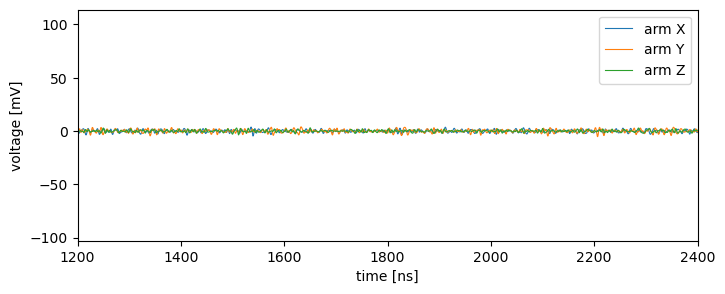
run 1, event 13790: 44 units, 8192 samples each
strongest unit 177: peak 103997, 71052, 47413 µV on arms X, Y, Z
The traces are sampled every 0.5 ns, the rate of the input simulation:
import matplotlib.pyplot as plt

t_ns = 0.5 * np.arange(traces.shape[2])
fig, ax = plt.subplots(figsize=(8, 3))
for arm, name in enumerate("XYZ"):
    ax.plot(t_ns, traces[best, arm] / 1e3, lw=0.8, label="arm " + name)
ax.set_xlabel("time [ns]")
ax.set_ylabel("voltage [mV]")
ax.set_xlim(1200, 2400)
ax.legend()
plt.show()
The with form closes the file when the block ends. When a script reads
many files, use it, or call stop_using() on each tree, so that memory does
not grow with the number of files (Reading many files: release each tree).
Switching stages off
sim.params turns the stages on and off before
compute_voltage() runs. With
neither noise nor RF chain, the output is the open-circuit voltage at the
antenna terminals:
voc = Efield2Voltage(str(SAMPLE), "voc.root", output_directory=str(out),
                     seed=1, efield_level=0)
voc.params["add_noise"] = False
voc.params["add_rf_chain"] = False
voc.compute_voltage()

with TVoltage(str(out / "voc.root")) as tvoltage:
    tvoltage.get_entry(0)
    voc_traces = np.asarray(tvoltage.trace)

print("open-circuit peak on unit %d: %.0f, %.0f, %.0f µV"
      % (du_id[best], *np.abs(voc_traces[best]).max(axis=1)))
open-circuit peak on unit 177: 3820, 2949, 1518 µV
The other entries are lst (the sidereal time, in hours), the sampling rate
and trace length of the output (resample_to_mhz, extend_to_us),
calibration smearing and timing jitter.
Efield2Voltage lists them with their
defaults.
Digitizing
The ADC samples at 500 MHz with 14 bits. Downsample the 2 GHz voltages first, then convert:
from grand import ADC

adc = ADC()
counts = adc.process(adc.downsample(traces, 2000.0))   # from 2000 MHz to 500 MHz
print("shape", counts.shape, "- peak on unit %d: %d, %d, %d counts"
      % (du_id[best], *np.abs(counts[best]).max(axis=1)))
shape (44, 3, 2048) - peak on unit 177: 873, 629, 431 counts
From the shell, the same two steps write a voltage file and an ADC file into the simulation folder:
python scripts/convert_efield2voltage.py <simulation folder> --level 0 --lst 18 --seed 1
python scripts/convert_voltage2adc.py <simulation folder>
Command-line tools describes both scripts and their options.
Positions
Frames are constructed from one another. A point 1 km along the array’s x axis, as latitude, longitude and height:
from grand import Geodetic, GRANDCS

site = Geodetic(latitude=40.98, longitude=93.95, height=1200.0)
point = GRANDCS(x=1000.0, y=0.0, z=0.0, location=site)
print(np.round(np.asarray(Geodetic(point)).ravel(), 5))
[ 40.989 93.95006 1200.08215]
The latitude increased: x points north.
Where next
Tutorial: one shower, start to finish: one shower followed from the antennas to its reconstructed direction.
Cheat sheet: units, conventions and the common calls on one page. Read its conventions before using your own data: they cause most silent errors.
Recipes: short code for the common tasks, from reading a shower to reconstructing its direction, including the RF chain and the Galactic noise on their own.
Tutorial notebooks: twelve notebooks that work through each part of the library with figures.
The data model: the trees, what they hold and how they fit together.
Troubleshooting: what to do when a number looks wrong.